Best pomodoro apps for students and remote workers

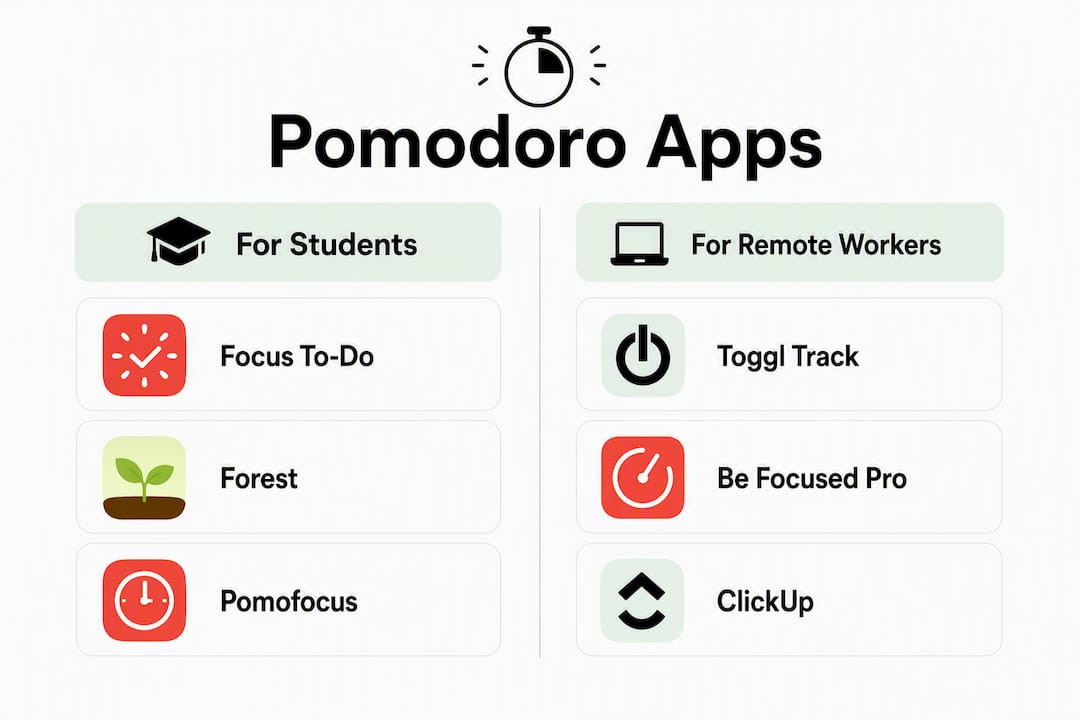
Focus To-Do is the strongest all-around pick for most people: it combines a Pomodoro timer with task management, cross-platform sync, and session analytics in one place. If that sounds like more than you need, here is a quick shortlist by use case.
-
Best overall: Focus To-Do — task management plus timer in one app, with analytics
-
Best for gamified motivation: Forest — grow virtual trees, fund real ones
-
Best lightweight web timer: Pomofocus — open a browser tab and start immediately, no account needed
-
Best for billable time tracking: Toggl Track — links Pomodoro sessions directly to invoices and reports
-
Best for Apple users: Be Focused Pro or Session — native macOS/iOS with iCloud sync
-
Best for teams: FocusMode by Geekbot — synchronized focus blocks across a workspace
-
Best for students: StudyFoc.us — built around study groups and exam prep workflows
The Pomodoro Technique itself is simple: 25-minute work intervals followed by 5-minute short breaks, repeated four times, then a longer rest of 15–30 minutes. The right app just removes the friction of managing that cycle manually. For students pairing timed sessions with past-paper practice, Papersza’s free exam-paper library slots naturally into any of these workflows.
Table of Contents
- How do the best pomodoro apps compare at a glance?
- Top picks: what each app actually does and who it suits
- How we tested and evaluated these apps
- How does the Pomodoro Technique actually work?
- How do you choose the right Pomodoro app for your workflow?
- What does research say about features that actually improve focus?
- Key takeaways
- What testing these apps actually taught us
- Further reading and sources used
- Papersza pairs well with any timer on this list
- FAQ
How do the best pomodoro apps compare at a glance?
| App | Best for | Platforms | Price / free tier | Standout feature | Integrations | Ease |
|---|---|---|---|---|---|---|
| Focus To-Do | Task + timer combo | Web, iOS, Android, Windows, macOS | Free tier; paid upgrade | Session analytics + task estimates | Task integrations | Medium |
| Forest | Gamified mobile focus | iOS, Android, Chrome extension | Free; Pro version | Virtual tree reward system | Minimal | Very easy |
| Pomofocus | No-sign-up web timer | Web | Free | Instant browser access | None | Extremely easy |
| Toggl Track | Billable time tracking | Web, iOS, Android, macOS, Windows, browser ext. | Free tier; paid plans available | Pomodoro linked to billable reports | Time-tracking integrations | Easy |
| Be Focused Pro | Apple-native experience | macOS, iOS | Free; Pro one-time purchase | iCloud sync, native UI | iCloud | Easy |
| PomoDone / RoundPie | Project-tool integration | Web, browser ext. | Free tier; paid plans | Asana, Trello, Jira integration | Deep task integrations | Medium |
| ClickUp | Teams in ClickUp already | Web, iOS, Android, Windows, macOS | Free tier; paid plans | Timer inside collaborative workspace | Full workspace integrations | Medium |
| Focus Booster | Detailed session analytics | Web, macOS, Windows | Free tier; paid upgrade | Time reports and focus analytics | Time-tracking | Medium |
| Session | Polished Apple-native UI | macOS, iOS | Paid subscription | Design-forward session management | Apple ecosystem | Easy |
| Otto | Chrome-first browser timer | Chrome extension, Windows | Free; some paid features | Browser extension convenience | Minimal | Very easy |
| Pomodor | Casual beginners | Web | Free | One-click start | None | Extremely easy |
| Flow | Budget Apple option | macOS, iOS | Paid subscription | Simple features at low cost | Minimal | Easy |
| Paymo Track | Small teams + freelancers | Web, macOS, Windows | Free tier; paid plans | Project-focused time tracking | Project/time integrations | Medium |
| Momentum Pro | Ambient focus rituals | Web (Chrome ext.), iOS | Paid subscription | Ambient visuals + daily focus goals | Minimal | Easy |
| Focus Keeper | Streak tracking | iOS, Android | Free; Pro version | Colorful timer wheel + goals | Minimal | Very easy |
| FocusMode by Geekbot | Team focus sessions | Slack integration | Paid (team pricing) | Synchronized team focus blocks | Slack | Medium |
| Tomato-Timer.com | Zero-friction web timer | Web | Free | Classic no-frills timer | None | Extremely easy |
| StudyFoc.us | Students and study groups | Web | Free | Study-focused group tools | Minimal | Easy |
| Focused Work | Distraction-free minimalism | iOS, macOS | Paid subscription | Minimal, distraction-free interface | Minimal | Easy |
| Pomodor | Beginners testing the method | Web | Free | Simple web timer | None | Extremely easy |
| RoundPie (PomoDone) | Project-tool workflow | Web, browser ext. | Free tier; paid plans | Task-tool integrations | Deep task integrations | Medium |
A few patterns worth noting before you dive into the mini-reviews:
- Free web timers (Pomofocus, Tomato-Timer.com, Pomodor) cover the basics with zero commitment. They are the fastest way to test whether the Pomodoro Technique works for you before investing in a paid app.
- Paid apps tend to justify their cost through analytics, integrations, or native platform polish, not just a prettier timer.
- Platform coverage varies sharply: if you split time between Windows and macOS, Focus To-Do or Toggl Track are safer bets than Apple-only options like Session or Flow.
Top picks: what each app actually does and who it suits
Focus To-Do
The closest thing to a complete Pomodoro system. You add tasks, estimate how many sessions each will take, run your timer, and review analytics afterward. Cross-platform sync means your session history follows you from desktop to phone. The free tier is genuinely useful; the paid upgrade adds more analytics depth and cloud backup.

Pros: Task estimates + session analytics; cross-platform sync; clean interface Cons: More setup than a bare timer; free tier limits some analytics
Forest
Forest turns phone avoidance into a game. Start a session and a virtual tree grows; leave the app and the tree dies. Over time, coins from completed sessions fund real tree planting through Trees for the Future. It is one of the few apps where the reward mechanism actively discourages the distraction it is meant to prevent.

Pros: Genuinely discourages phone use; community planting is motivating; simple to start Cons: Mobile-first (desktop Chrome extension is more limited); gamification fades for some users after a few weeks
Pomofocus
Open a browser tab, click start. No account, no download, no settings to configure unless you want to. Pomofocus is the right answer when someone asks “what is the fastest way to try a Pomodoro timer right now?” It does not track sessions across devices or offer task management, but that is the point.
Pros: Zero friction; works on any device with a browser; completely free Cons: No cross-device history; no task integration
Toggl Track
Toggl Track’s Pomodoro mode is built for people whose time has a dollar value. Sessions attach to projects and clients, and the data flows into billable reports. For freelancers managing multiple clients, that connection between focus time and invoicing is worth more than any gamification feature. The free tier covers most solo needs; paid plans add more reporting depth.
Pros: Pomodoro sessions link directly to billable time; strong reporting; broad platform coverage Cons: Overkill for personal productivity; the interface prioritizes time tracking over focus ritual
Be Focused Pro
Apple’s ecosystem is the whole pitch here. Be Focused Pro syncs via iCloud across Mac and iPhone, uses native UI conventions, and costs a one-time fee rather than a subscription. If you live in Safari and macOS, it feels like it belongs there in a way that cross-platform apps never quite do.
Pros: Native Apple feel; iCloud sync; one-time purchase Cons: No Android or Windows; limited analytics compared to Focus To-Do
PomoDone / RoundPie
The core idea: start a Pomodoro directly from a task in Asana, Trello, or Jira, without switching apps. PomoDone (now rebranded as RoundPie) sits between your project tool and your timer. Teams already living in those tools will find it reduces context-switching noticeably.
Pros: Deep integrations with major project tools; timer starts from existing tasks Cons: Depends entirely on having a connected task tool; less useful as a standalone timer
ClickUp
ClickUp’s built-in timer is not a dedicated Pomodoro app, but if your team already runs projects there, adding Pomodoro-style sessions without leaving the workspace is a real convenience. The timer feature is one small part of a much larger tool, which means the learning curve is steeper than any single-purpose app.
Pros: No extra app needed if you already use ClickUp; collaborative context Cons: Heavy for solo users; Pomodoro is a secondary feature, not the focus
Focus Booster
Focus Booster’s differentiator is its reporting. Session logs, daily totals, and focus-rate charts give professional users the kind of data that justifies the subscription. Less useful for casual users who just want a timer; very useful for consultants or coaches who track productivity as a metric.
Pros: Detailed time reports; professional analytics; clean interface Cons: Subscription cost is harder to justify without regular analytics use
Session
Session is the most design-forward option on this list. The macOS and iOS app prioritizes visual clarity and a calm session experience over feature depth. No clutter, no gamification, just a well-made timer that feels considered. The paid-only model means you commit before testing, which is the main friction point.
Pros: Excellent Apple-native design; calm, distraction-free experience Cons: Paid only; macOS/iOS exclusive; limited integrations
Shorter mentions
Otto works as a Chrome extension with light gamification. Good for Chrome-first users who want a browser-based timer without opening a new tab. Pomodor (Pomodor.app) is a one-click web timer, nearly identical in simplicity to Pomofocus. Flow offers basic Pomodoro features for Apple users at a lower price than Session. Paymo Track combines project management and Pomodoro for small teams, with time tracking built in. Momentum Pro pairs a daily focus goal with ambient visuals and a Chrome extension, useful for users who want a morning ritual alongside their timer. Focus Keeper uses a colorful timer wheel and streak tracking, best for users who respond to visual progress. FocusMode by Geekbot runs inside Slack to coordinate synchronized focus blocks across distributed teams. Tomato-Timer.com is the most stripped-back web option: no account, no features, just a timer. StudyFoc.us adds group study tools and is worth a look for students studying with peers. Focused Work takes minimalism seriously on iOS and macOS, removing every non-essential element from the interface.
Pro Tip: If you find yourself spending more time customizing your timer than actually working, switch to Pomofocus or Tomato-Timer.com for a week. The constraint forces focus.
How we tested and evaluated these apps
Every app on this list was assessed against the same set of criteria, applied consistently across platforms.
Core evaluation criteria:
- Ease of starting a session: how many taps or clicks from opening the app to a running timer
- Platform coverage: whether the app works across the devices a typical student or remote worker uses
- Task integration: whether the timer connects to a task list or project tool
- Analytics quality: session counts, streaks, and time reports, and whether missed sessions can be edited retrospectively
- Privacy and offline use: whether the app works without an account and without an internet connection
- Custom durations: whether the 25/5 default can be changed to 50/10 or other intervals
- Accessibility: visual and audio cues, font size options, and screen-reader compatibility
- Gamification: whether reward features help or distract, and how easy they are to disable
Testing involved running at least three full Pomodoro cycles on each app, checking cross-device sync where applicable, and reviewing the analytics output after a simulated work session.
“Ritualistic features — intention setting, breathing reminders, and the ability to manually edit sessions — help users sustain focus and keep analytics accurate over time.” — PCMag productivity app coverage
Apps that required account creation before starting a single session were penalized on friction. Apps that automated the alternating work/break cycle without manual intervention scored higher on ease, consistent with what Zapier’s roundup identifies as the key differentiator between basic and best-in-class timers.
How does the Pomodoro Technique actually work?
The Pomodoro Technique is a time-management method built on 25-minute focused work intervals, each followed by a 5-minute break. After four intervals (called “pomodoros”), you take a longer break of 15–30 minutes.
Standard session template:
- Choose one task before starting the timer.
- Work for 25 minutes without switching tasks or checking notifications.
- Take a 5-minute break: stand up, stretch, step away from the screen.
- Repeat steps 1–3 three more times.
- After four cycles, take a 15–30 minute longer break.
Alternate 50/10 template: Some users, particularly those doing deep writing or coding, find 25 minutes too short to reach a productive flow state. The 50/10 variant (50 minutes of work, 10-minute break) suits tasks that need longer ramp-up time. Most apps on this list allow custom durations.
Quick tips for better sessions:
- Set a specific intention before each session, not just “work on project X.”
- Use audio cues if you work in a noisy environment; visual cues (a progress ring or color change) if you cannot use sound.
- Log sessions manually if you miss or overrun one. Accurate data matters more than a perfect streak.
- For students with disabilities, look for apps with screen-reader support and adjustable alert volumes. Focused Work and Be Focused Pro both offer audio customization.
How do you choose the right Pomodoro app for your workflow?
Start with three questions:
- What is your primary job-to-be-done? Study and exam prep, billable client work, team coordination, or quick single-device focus?
- Which devices do you use? Apple-only, cross-platform, or browser-only?
- Do you need data? Session counts and streaks, or just a reliable timer?
Those answers narrow the field fast. Here is how the decision maps out:
By use case:
- Studying for exams: StudyFoc.us or Focus To-Do, paired with timed past-paper sessions from Papersza’s study articles
- Billable freelance work: Toggl Track, which connects sessions to time management for freelancers and invoicing workflows
- Team coordination: FocusMode by Geekbot (Slack-based) or ClickUp
- Quick, no-commitment focus: Pomofocus or Tomato-Timer.com
Decision criteria checklist:
- Platform: does it run on every device you use daily?
- Integrations: does it connect to your task tool (Asana, Trello, Notion, Jira)?
- Analytics: do you need session history, or just a count?
- Distraction reduction: does it block sites or lock the screen during sessions?
- Gamification: do you want it, and can you turn it off if it stops helping?
- Privacy: does it require an account, and does it store session data on your device or in the cloud?
Quick-start checklist:
- Set your work interval (25 minutes to start; adjust after a week).
- Add three tasks before your first session.
- Run three full cycles without stopping.
- Review what you completed and whether the session length felt right.
What does research say about features that actually improve focus?
The timer alone is necessary but not sufficient. Apps that integrate timers into task lists or time-tracking platforms reduce friction and deliver bigger productivity gains, because they lower the cost of switching between planning and doing.
Three evidence-backed points:
- Retrospective session editing preserves accurate data — For students tracking study hours, the ability to log a session you forgot to start, or shorten one you abandoned, keeps analytics honest. PCMag’s coverage notes that manual editing is one of the features that separates apps worth keeping long-term from ones users abandon after a week.
Pro Tip: If you spend more than two minutes per day managing your Pomodoro app, that app is working against you. Switch to a minimal web timer like Pomofocus and add complexity only when you have a specific reason to.
The Reclaim roundup classifies apps by the distinct lane they serve: calendar automation, gamification, time tracking, and embedded workspace timers. That taxonomy is useful because it confirms there is no single best app, only the best app for a given workflow.
Key takeaways
Focus To-Do is the strongest starting point for most users because it combines task management, a Pomodoro timer, and session analytics without requiring a separate app for each function.
| Point | Details |
|---|---|
| Start with the right fit | Match the app to your primary job: study, billing, team sync, or quick solo focus. |
| Free web timers work | Pomofocus and Tomato-Timer.com cover the basics with zero friction, ideal for testing the method first. |
| Integrations compound value | Apps that link timers to task lists or billing (Toggl Track, PomoDone) deliver more long-term value than standalone timers. |
| Session data needs care | Manually edit missed or overrun sessions to keep streaks and analytics accurate, especially for exam prep. |
| Papersza for study workflows | Pair any timer above with free past papers and memos at Papersza to structure timed exam-prep sessions. |
What testing these apps actually taught us
The most surprising finding: the apps with the most features were rarely the ones people kept using. After running full cycles across the shortlist, the pattern was consistent. High-friction onboarding (account creation, permission requests, tutorial flows) killed momentum before a single session started. Pomofocus and Tomato-Timer.com won on first-session speed precisely because they had nothing to set up.
The second observation: sync lag is a real problem for cross-platform users. Several apps showed session counts that differed between desktop and mobile after a day of switching devices. Focus To-Do handled this most reliably in testing.
Accessibility gaps showed up more than expected. Many apps offer a visual timer but bury the audio alert settings, or omit them entirely. For users who rely on audio cues, Be Focused Pro and Focused Work gave the most control over alert sounds and volumes.
One trade-off that rarely gets mentioned: gamification and analytics pull in opposite directions. Forest’s tree mechanic encourages you to put the phone down and not check the app, which is exactly right for focus. But it also means you cannot see session data mid-cycle without breaking the reward loop. If analytics matter to you, a non-gamified app like Focus Booster or Focus To-Do is the more honest choice.
Further reading and sources used
- Pomodoro Technique — Wikipedia
- The 6 best Pomodoro timer apps — Zapier
- Top 11 Pomodoro Timer Apps for 2026 — Reclaim
- Want to Reach Flow State Faster? These Apps Amplify the Pomodoro Technique — PCMag
- Be Focused Pro — xwavesoft
- Forest App — Trees for the Future partnership
- PapersZA — South Africa’s largest independent past-paper library
- How PapersZA works
- Papersza study articles
Papersza pairs well with any timer on this list
If you are a student using a Pomodoro timer to structure exam prep, the timer is only half the equation. The other half is having the right material to work through during each session.
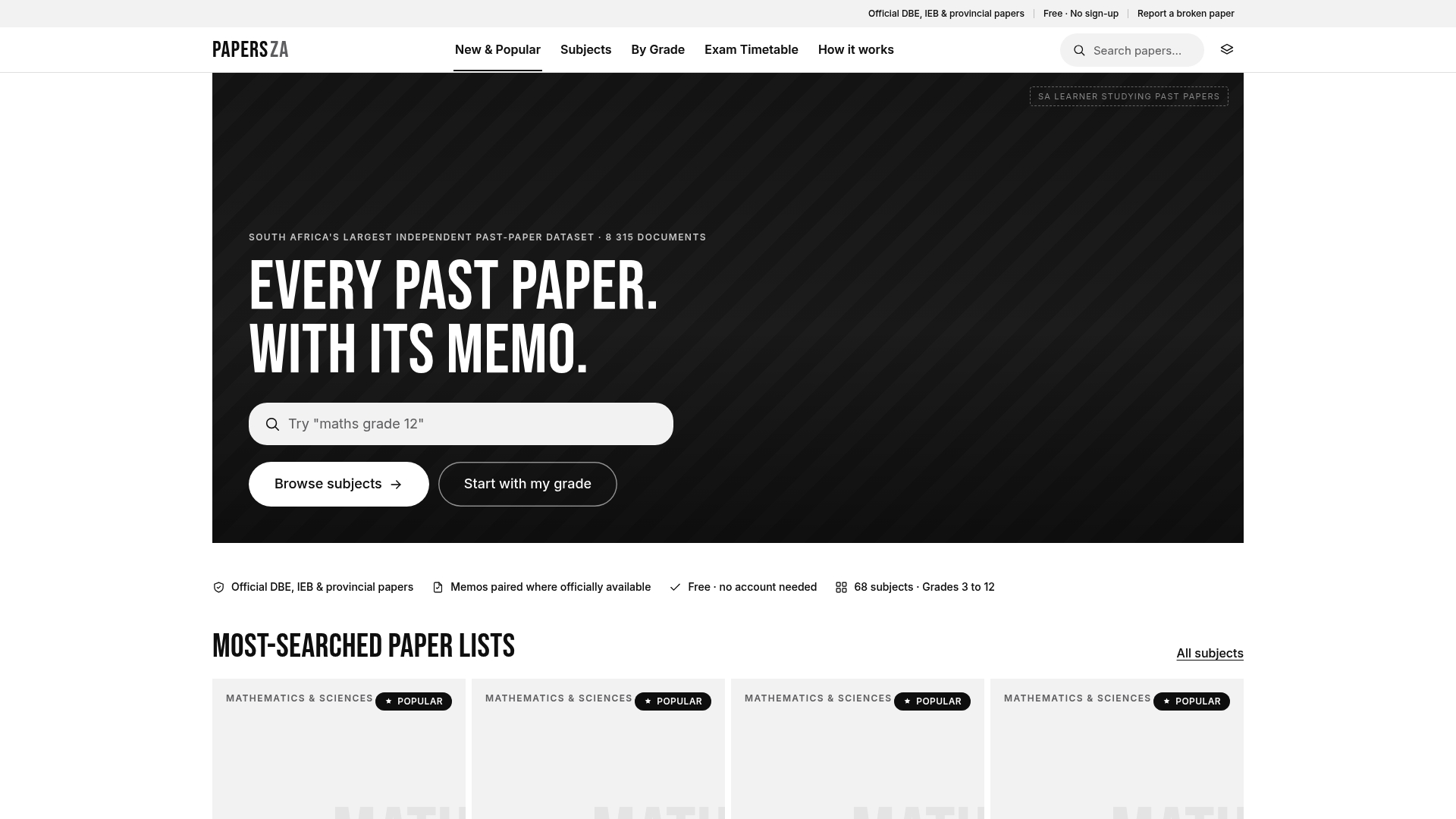
Papersza hosts over 8,315 official past exam papers and memos for South African grades 3–12, covering DBE, IEB, and provincial papers, all free and available without creating an account. Where the apps above give you the time structure, Papersza gives you the content: a past paper to work through in a 25-minute session, a memo to self-assess during the break. For Grade 12 students preparing for finals, English past papers are a practical starting point. No subscription, no sign-up, no friction. Open a paper, set your timer, and start.
FAQ
Which Pomodoro app is most effective?
Focus To-Do is the most effective for most users because it combines task management, a timer, and session analytics in one place. For pure simplicity, Pomofocus starts a session in one click with no account required.
Is 25/5 or 50/10 Pomodoro better?
The standard Pomodoro Technique uses 25-minute work intervals and 5-minute breaks. The 50/10 variant suits tasks that need longer ramp-up time, like deep writing or coding. Start with 25/5 and switch to 50/10 if you consistently feel interrupted before reaching focus.
Is Pomodoro useful for ADHD?
Structured time intervals can help users with ADHD by breaking work into predictable, manageable chunks with built-in breaks. Apps with audio and visual cues, like Be Focused Pro or Focus Keeper, tend to work better than text-only timers for this use case.
Does the Pomodoro Technique work for exam prep?
Yes. Pairing timed 25-minute sessions (with 5-minute breaks, and a longer 15–30 minute break after four sessions) with focused past-paper practice is one of the most effective study structures available. Papersza’s free library of Grade 12 past papers gives students ready-made material to work through session by session.